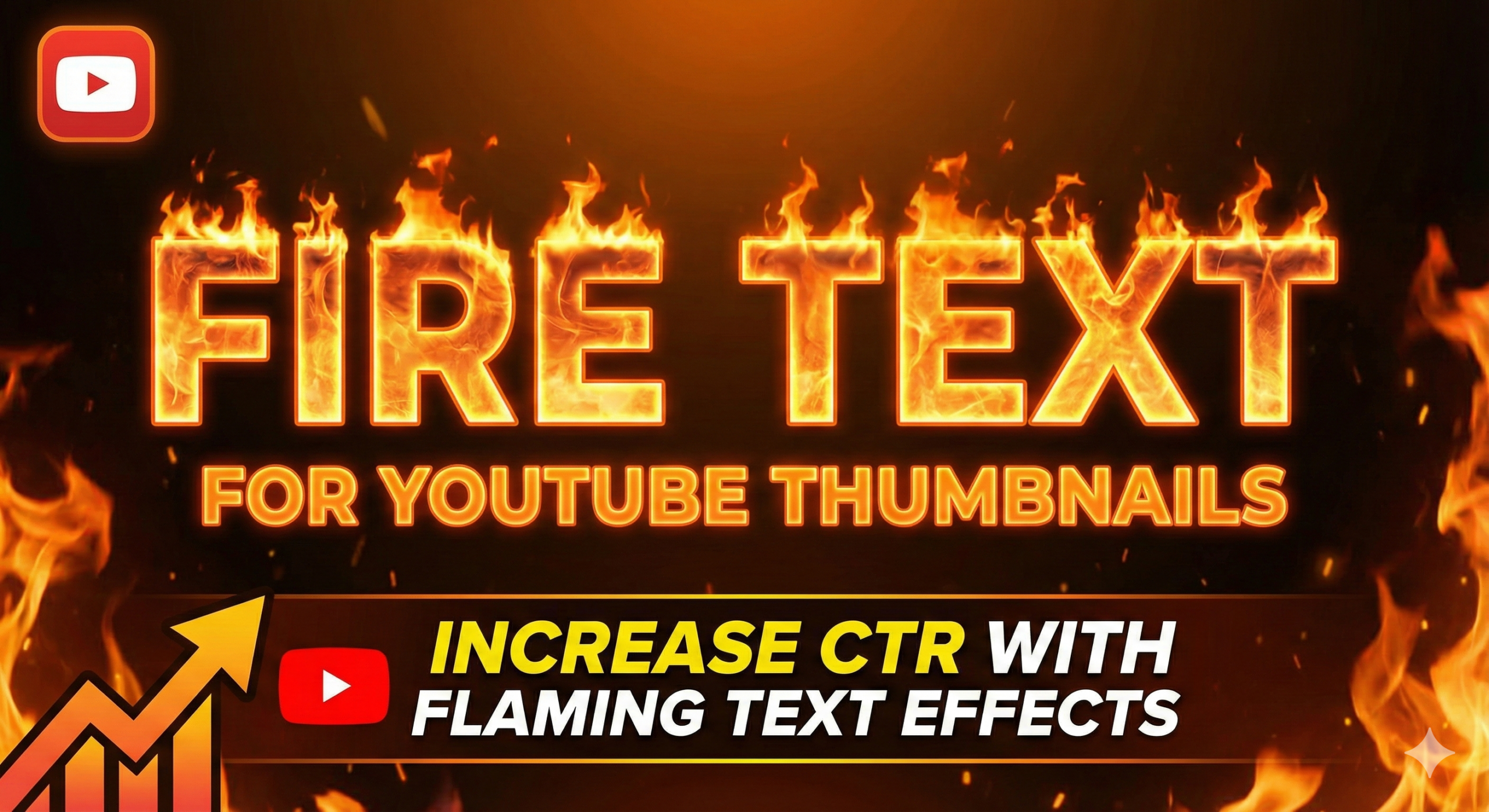

Every YouTuber wants one thing: more clicks. You spend hours making a video, but if no one clicks on it, your hard work goes to waste. The first thing people see is your thumbnail. If your thumbnail is boring, people will scroll past it. But if your thumbnail pops, you get views. One of the best ways to grab attention instantly is by using fire text for youtube thumbnails.
In this guide, we will talk about why this effect works, how to make it, and where to find the best tools. We will keep it simple so you can start using these effects today.
Why Your Thumbnail Needs to Stand Out
YouTube is a very crowded place. Millions of videos are uploaded every day. To win, you need to stop the scroll. This is called CTR (Click-Through Rate). When your CTR is high, YouTube shows your video to more people.
The text on your thumbnail is just as important as the picture. Simple black or white text is okay, but it doesn’t scream “excitement.” This is where youtube text effects come in. When you add special effects like fire, neon, or bold colors, you tell the viewer that your video is high energy.
Using fire text for youtube thumbnails is a psychological trick. Human beings are naturally attracted to bright colors like red, orange, and yellow. These are the colors of fire. They signal danger, excitement, and heat. When a viewer sees burning text thumbnail designs, their brain automatically pays attention.
Who Should Use Fire Text?
Not every channel needs fire text. If you are making a quiet meditation video, a burning font might look weird. However, for many niches, it is perfect.
- Gaming Channels: Gamers love action. If you are playing a shooting game, a racing game, or a survival game, gaming thumbnail text effects are essential.
- Challenge Videos: “Hot Spicy Noodle Challenge” or “Survival Challenge” videos need to look intense.
- Breaking News/Drama: If you are talking about a “Hot Topic,” fire text fits perfectly.
- Fitness and Motivation: Phrases like “Burn Fat” look great with a fire effect.
If you are in these niches, you must learn how to make fire text thumbnail designs to grow your channel.
The Power of Visuals: Flaming Text
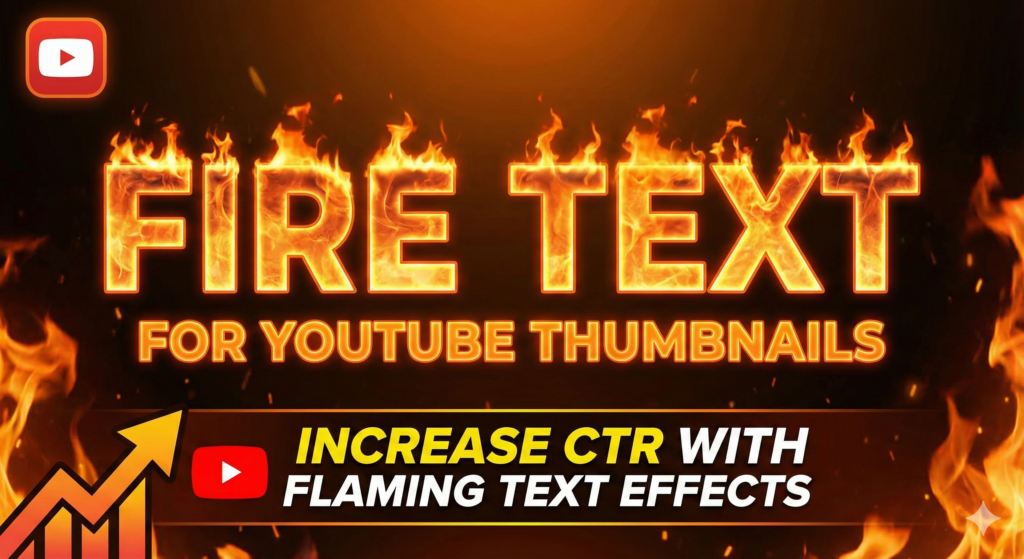
Let’s talk about design. You might think, “I am not a graphic designer, I can’t do this.” The good news is that you don’t need to be a pro. There are many ways to get flaming text youtube thumbnail styles without spending money.
When you use fire text for youtube thumbnails, you are adding a layer of professionalism to your image. It shows you put effort into your cover art. Viewers respect high-quality thumbnails. If your thumbnail looks cheap, they assume the video is cheap. If your thumbnail looks like a movie poster, they assume the video is a blockbuster.
Also, fire text creates great contrast. If your background is dark (like a night sky or a dark gaming room), the bright orange and yellow fire pops out. This contrast is what makes eye catching fire text thumbnails.
Tools to Create Fire Text
You might be asking, “Where do I make these?” You have two main options: simple online generators and professional software.
1. Online Generators (Easy & Fast)
If you want something quick, you can look for a flaming text thumbnail generator. These are websites where you just type your text, choose a fire style, and download the image. It is very simple. You don’t need to install anything. Many of these tools allow you to create burning text youtube thumbnail online for free.
2. Photo Editing Software (Custom & Professional)
For those who want full control, software like Photoshop or free alternatives like GIMP or Canva are great. In Canva, you can search for “fire elements” or use specific apps inside Canva to create youtube thumbnail fire text. This takes a little more time, but the results are unique. You are not just using a template; you are creating art.
Finding Free Resources
You don’t always have to pay. There are many places to find fire text for youtube thumbnails free of cost.
- Stock Photo Sites: You can find images of fire alphabets.
- Font Websites: Some fonts look like fire. You just install them and type.
- PNG Sites: Search for “Fire Letter A,” “Fire Letter B,” etc., and assemble your word.
Using a fire text banner across the top or bottom of your thumbnail can also work if you don’t want the text itself to be on fire.
Design Tips for Maximum Clicks
Just putting fire on your text isn’t enough. You need to follow good design rules. Here is how to use fire text for youtube thumbnails correctly:
1. Keep it Short
Don’t write a paragraph. Thumbnails are small, especially on mobile phones. Use 2 to 4 words max. Words like “EPIC,” “FAIL,” “HOT,” or “INSANE” work best.
2. Use Bold Fonts
Fire effects need thick letters to show the flames properly. Thin letters will disappear when you add the fire effect. You need bold text for thumbnails to make the fire visible.
3. Don’t Overdo It
If everything in your thumbnail is on fire, nothing stands out. Use the fire effect only on the most important word. For example, if your title is “My Insane Gaming Win,” put the fire only on “INSANE.” This is smart thumbnail text design.
4. Readability is Key
The most important rule is that people must be able to read it. Sometimes, flaming text for youtube can become blurry because of the glow. Make sure you add a shadow or a black outline (stroke) behind the fire text so it separates from the background.
How to Make Fire Text (Simple Steps)
Here is a general process you can follow to create a fire text effect for youtube:
- Choose Your Background: Start with a dark background so the fire looks bright.
- Type Your Text: Use a big, thick font.
- Add Color: Gradient colors (Yellow to Red) look best.
- Add the Fire: If using a generator, select the fire style. If using Photoshop, overlay fire images on top of the text.
- Add Glow: Put an orange outer glow around the text to simulate heat.
- Add Sparks: Little fire sparks flying around the text make it look realistic.
- Check on Mobile: Zoom out. Can you still read it? If yes, you are good to go.
By following these steps, you create click worthy youtube thumbnails that drive traffic.
Best Styles for Fire Text
There isn’t just one type of fire. You can experiment with different styles of burning text for youtube thumbnails:
- Realistic Fire: Looks like actual photographs of fire shaped into letters.
- Cartoon/Comic Fire: Great for Fortnite or Minecraft videos. It looks drawn and fun.
- Magical Fire: Blue or Green fire (good for fantasy topics).
- Neon Fire: A mix of neon lights and fire effects.
Choosing the best fire text styles for youtube depends on your channel’s vibe. Keep it consistent. If your audience gets used to a specific style, they will recognize your videos instantly.
Typography and Hierarchy
Typography means how your text looks. It includes the font style, size, and spacing. YouTube thumbnail typography is a skill you learn over time.
When using fire text, think about hierarchy. Hierarchy means showing the viewer what to look at first.
- Big and Fiery: The main keyword.
- Medium and Plain: The supporting words.
For example, in a video about spicy food, “SPICY” should be the fire text for youtube thumbnails, while “Challenge” can be in simple white text. This guides the viewer’s eye.
If you ignore typography, your thumbnail will look messy. A messy thumbnail confuses the viewer, and a confused viewer does not click.
Increasing Your CTR (Click-Through Rate)
Let’s look at the data. YouTube analytics show that thumbnails with high contrast and clear emotions get more clicks. A burning text thumbnail creates high contrast and emotion (excitement).
When you combine a shocked face (the YouTuber) with flaming text for youtube, you create a story. The story is: “Something crazy is happening here!” This curiosity gap makes people click.
Remember to test. You can try one video with fire text for youtube thumbnails and one without. Compare the views. Most of the time, the one with the dynamic text effect will win.
Mistakes to Avoid
Even though fire text is cool, you can mess it up. Here are common mistakes beginners make with fire text for thumbnails:
- Wrong Colors: Putting orange fire text on an orange background. It becomes invisible.
- Too Much Text: “I played this game and it was on fire” is too long. Just write “ON FIRE!”
- Low Quality: Using a pixelated or blurry fire image. Always use HD assets.
- Covering the Face: Don’t put the text over your face or the main subject of the image.
Focus on creating catchy thumbnail text that adds to the image, not ruins it.
Fire Text for Mobile Viewers
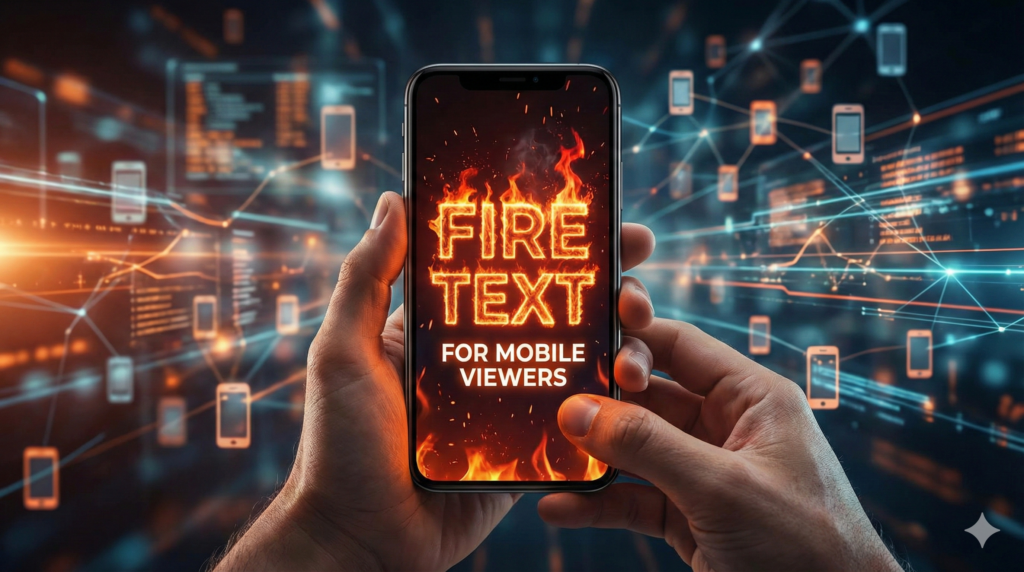
More than 70% of YouTube views come from mobile devices. Mobile screens are small. A complex design that looks good on a PC might look like a blob on a phone.
When creating youtube thumbnail fire text, always zoom out to 10% size on your computer. This simulates a mobile screen. If you can’t read the burning text for youtube thumbnails at that size, you need to make the font bigger or the fire less intense.
Simple is always better for mobile. Bold text for thumbnails ensures that even someone on a small screen can see your message clearly.
Conclusion: Light Up Your Views
Using fire text for youtube thumbnails is a proven strategy to get more attention. It taps into human psychology, creates excitement, and makes your video stand out in a sea of boring content.
Whether you use a free flaming text thumbnail generator or design it yourself in Photoshop, the goal is the same: stop the scroll. Remember to keep the text short, legible, and high contrast.
Start experimenting with youtube text effects today. Update your old thumbnails or try it on your next upload. You might be surprised by how much your CTR increases just by adding a little heat to your design.
FAQs for Fire Text for Youtube Thumbnails
1. Is it free to create a burning text thumbnail?
Yes, there are many tools available. You can create a burning text thumbnail using free online generators or free software like Canva and GIMP. You do not need to pay for expensive software to get this effect.
2. Can I use flaming text for youtube on any type of video?
While you can, it works best for high-energy videos. Flaming text for youtube is perfect for gaming, challenges, pranks, and breaking news. It might not fit well with sad, serious, or very calm videos.
3. What is the best color for youtube thumbnail fire text?
The most effective colors are bright orange, yellow, and red on a dark background. This creates high contrast. However, for fantasy videos, you can also use blue or green youtube thumbnail fire text.
4. How do I make fire text for youtube thumbnails readable?
To make fire text for youtube thumbnails easy to read, use a thick (bold) font. Also, add a black outline or a drop shadow behind the text. This separates the bright fire from the background image.
5. Does fire text really help with views?
Yes, usually. Fire text helps create eye catching fire text thumbnails. When your thumbnail catches the eye, your Click-Through Rate (CTR) goes up. When CTR goes up, YouTube suggests your video to more people.
6. Where can I find a fire text effect for youtube tutorial?
You can find thousands of tutorials on YouTube itself! Just search for “How to make fire text effect for youtube in Canva” or “Photoshop fire text tutorial.” There are many step-by-step guides for beginners.
7. Is there a specific app for flaming text thumbnail generator?
There are many apps on phone stores (iOS and Android) specifically for thumbnail making. Apps like PixelLab, Canva, or PicsArt act as a great flaming text thumbnail generator right on your phone.
Related Posts
- Fire Text Generator (Copy & Paste)
- What Is a Fire Text Generator? A Simple Guide & How It Works
- Fancy Text for Gaming Names
- Stylish Gaming Names
- Gamer Tag Generator
Final Thought
Your thumbnail is the door to your content. If the door looks boring, no one will open it. By using fire text for youtube thumbnails, you are painting that door in bright, exciting colors. It is a small change that can make a massive difference in your channel’s growth. Don’t be afraid to be bold. Use the tools, follow the tips, and watch your channel catch fire!
🔥 Create Fire Text for YouTube Thumbnails
Want more clicks on your YouTube thumbnails? Use our free Fire Text Generator to create flaming, burning, and eye-catching text styles that instantly boost CTR.
Generate Fire Text Now 100% Free • No Signup • Instant Results